Blog
Large Format Printers for CAD Drawings: A Complete Guide for Architects and Engineers!


The computer-aided design process has changed how architects, engineers, and construction workers generate accurate technical drawings. While digital formats dominate today’s designs, paper drawings are still an important part of receiving permission to build, working on site together, and showing the client where you expect to be at the end of each project. Selecting the right large format printers for CAD drawings will ensure that every line, dimension, and piece of information can be seen easily, visually distinct from one another, and accurately portrayed on paper. The key advantage of using the right printer for CAD drawings is that these models have been built to print highly complicated vector-based designs and will print very fine lines while having the capability to print large media sizes without losing resolution.
When printed output is required, whether it is for Architectural Blueprints, Structural Layouts, or Mechanical Schemas, it is worth investing in the right printer so that you can enhance your workflow productivity and professional presentation. This guide will assist you in making a confident and knowledgeable decision based upon important features, advantages and major leading printer brands such as Canon large-format printers and Epson large-format printers for CAD drawings.
Why CAD Drawings Require Specialized Large Format Printers?
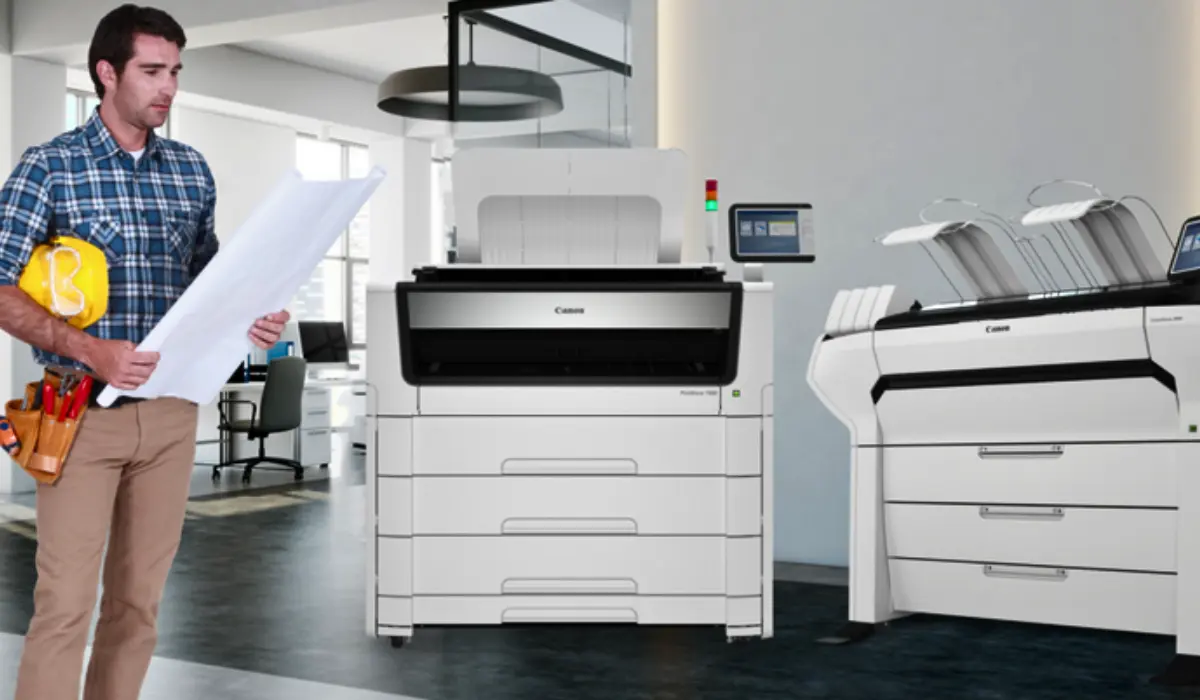
CAD drawings differ from standard office documents in structure, style, and content. Drawing files have complex linework with many layers, and their dimensions must be printed accurately. Standard printers may have difficulty scaling documents correctly or maintaining clarity and/or appropriateness of the print medium used for printing the document to be sized at A1, A0, and 36-inch roll printing. Large format printers are manufactured to handle the wide media (known as CAD by CAD users) and therefore maintain their dimensions and be readable.
Technical printing requires Precision. Even a small amount of distortion can cause measuring errors during the construction phase of a project if the plan view is not reproduced accurately on site. High-resolution print heads, state-of-the-art ink systems, and accurate feed systems are what make large-format printers the best choice for printing technical drawings. Further, most manufacturers now make large-format printers designed for high-speed production of large CAD files, reducing downtime at peak times during the life of a project.
Key Features to Look for in CAD Printing Solutions
High Print Resolution and Line Accuracy
CAD drawings are heavily dependent upon clean, thin lines to provide the basis of their design integrity. With this principle in mind, look for printers that have high DPIs (dots per inch) and a sophisticated line quality technology to maintain clear, legible fine detail, including small font, and varying technical symbols.
Fast Print Speeds
Ultimately, architectural and engineering firms operate on tight timelines. If a printer can produce an A1-sized print in seconds as opposed to minutes, the ability to easily generate prints in seconds can add massive efficiency gains to your operations and assist you when submitting tenders or reviewing results of a project.
Media Flexibility
All large-format printing equipment should support both roll media and cut sheets. By being able to print on both types of paper, including bond or coated paper, you create additional flexibility in how you operate your business.
Connectivity and Software Integration
Modern CAD facilities require a seamless connection between manufacturing programs. Therefore, find printers that provide efficient network connectivity, cloud printing, and software compatibility with leading CAD programs to streamline the process and limit errors during production.
Benefits of Investing in Professional CAD Printers
Having a dedicated CAD printer not only enables you to get better quality of print but also provides greater management & collaboration across all members of your team working on the project. When using CAD printers, you can create clear, large-scale prints of your drawings that are easy for your team and contractors/engineers to review during meetings or when on-site. You will also have the confidence that your contractors/engineers are interpreting the drawings accurately.
Additionally, dedicated CAD printers provide cost-saving benefits in the long term. Professional large-format printers use optimized ink flow patterns and are designed to produce a high number of prints in a short time period, thus providing a lower cost per print. Most models are also constructed for heavy-duty use, making them able to handle long periods of continuous printing without having to undergo repairs or maintenance regularly or spend large amounts of money to have them repaired. In addition, most models are also equipped with user-friendly touch screens and automated maintenance systems, which minimize downtime and simplify your daily operations.
Canon Large Format Printers for CAD Applications
When it comes to technical printing, Canon’s large-format printers have long been seen as one of the best options because they are both accurate and reliable. The Canon imagePROGRAF TX and TM series are perfect for CAD and GIS applications because they have better line definition and faster printing speeds to meet the needs of architectural firms and engineering consultants.
Canon’s cutting-edge ink technology keeps the density of black ink consistent, which is important when making technical descriptions because many of them have black and white lines. A lot of the printers also have smart media handling and different levels of security, which are two important features for working on secret projects in a business setting. When working in an office, where it’s important to get the most done in the least amount of space, Canon large format printers are great because they are small and easy to move around.
Epson Large Format Printers for Technical Drawings
CAD professionals would also benefit from using Epson large-format printers, as the Epson SureColor T Series is built for performance and precision on technical applications. With Advanced Printhead Technology, these printers can print at high speeds with an uncompromising quality of sharp lines and smooth curves.
The Epson pigment-based Inks have great durability and smudge resistance, which means that the prints will remain intact after being transported to the job site. Also, the Epson user-friendly interface and wireless capability make it easy to integrate and implement into today’s digital workflows. Most engineering firms appreciate Epson models for their combination of performance, print quality, and operating expense.
How to Choose the Right Printer for Your Office?
Print Volume Requirements
Small design studios may need a compact 24-inch printer, while large architectural firms often require 36-inch or 44-inch models capable of handling continuous output.
Available Office Space
Measure your office work area before using large-format printers, as some have a smaller footprint and are designed to fit in an office environment.
Budget and Long-Term Costs
In addition to the cost for the printer, consider what will be spent on ink, maintenance, and warranty coverage to use it. If the cost of your initial investment is slightly higher than another option, you may save money over the years with operational costs being lower.
Security and Network Needs
For firms doing work on sensitive projects for government or other infrastructure-related entities, look for Printers with high security options (i.e., Printer Security Features) and encrypted data transfer.
Optimizing Workflow with Large Format CAD Printing
Optimizing workflow will help you get the most out of your printer. Ensure that you are using high-quality CAD drivers and keep your printer’s firmware up to date so it is compatible with today’s latest design programs. Regular maintenance, such as cleaning and calibrating the printhead, ensures consistent quality in the output.
You can also reduce delay in a busy office by organizing print queues and controlling user permissions. Many newer printers offer job accounting features to help managers monitor printer usage and manage printing costs efficiently. By using the right hardware and sound workflow practices, your business will achieve maximum efficiency while reducing operational stress.
Conclusion
CAD drawing printers used in industries that demand high levels of precision can affect both productivity levels and how accurately a job will be completed; therefore, it is extremely important to select appropriate large format printers for CAD drawings. A large format printer will be essential to any architect, engineer, or construction professional as they not only produce sharp, crisp & detailed lines on all standard paper sizes; they can also print on large, oversized technical documents. Canon and Epson are leading manufacturers of large-format printers used by many businesses, providing a reliable option for technical printing.
By taking into account resolution, speed, media handling capabilities, and cost per print (long-term expense) when selecting large format printers for CAD drawings, you should be able to find a printer that will meet the demands of your company at present, as well as into the future. Buying the correct technology will ensure that your CAD drawings maintain their clarity/professionalism as they progress through each of the phases of the overall project.